RODE Caster Pro II Adjusting Audio Processing Using VoxLab™
Adjusting Audio Processing Using VoxLab™
VoxLab™ is the default processing editor for the RØDECaster Pro II. This simple three-knob interface is incredibly intuitive and allows you to achieve professional sound quality with ease. The three controls are ‘Depth’, ‘Sparkle’ and ‘Punch’, which each one adjusting multiple parameters on multiple processors for perfectly balanced sound.
Depth – Use this to subtly enhance the low end of your signal, giving it more richness and tighter bass articulation.
Sparkle – Use this to add brightness and detail to your signal, which is perfect for giving your voice more presence and clarity.
Punch – Use this to add subtle compression to your signal, making your voice sound more intelligible and natural. It will also adjust the noise gate to help reduce background noise.
Tap on ‘Depth’, ‘Sparkle’ and ‘Punch’ and use the rotary encoder to add more or less of each processing type.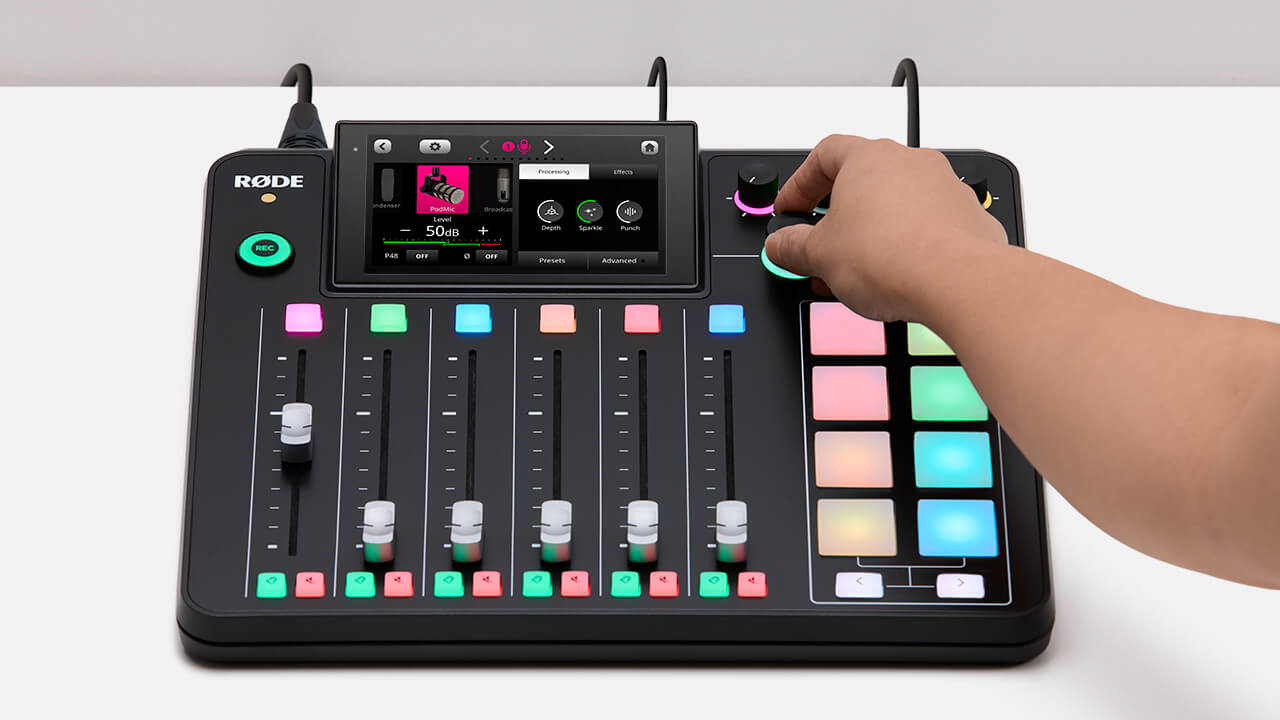
VoxLab™ is the default processing editor for the RØDECaster Pro II. This simple three-knob interface is incredibly intuitive and allows you to achieve professional sound quality with ease. The three controls are ‘Depth’, ‘Sparkle’ and ‘Punch’, which each one adjusting multiple parameters on multiple processors for perfectly balanced sound.
Depth – Use this to subtly enhance the low end of your signal, giving it more richness and tighter bass articulation.
Sparkle – Use this to add brightness and detail to your signal, which is perfect for giving your voice more presence and clarity.
Punch – Use this to add subtle compression to your signal, making your voice sound more intelligible and natural. It will also adjust the noise gate to help reduce background noise.
Tap on ‘Depth’, ‘Sparkle’ and ‘Punch’ and use the rotary encoder to add more or less of each processing type.
Pino Roots & The Midnite Blues © 2026 | Music Lab Learning & Self-Study Archive!


Comentarios
Publicar un comentario