RODE Caster Pro II Adjusting Headphone Levels
RODE Caster Pro II Adjusting Headphone Levels
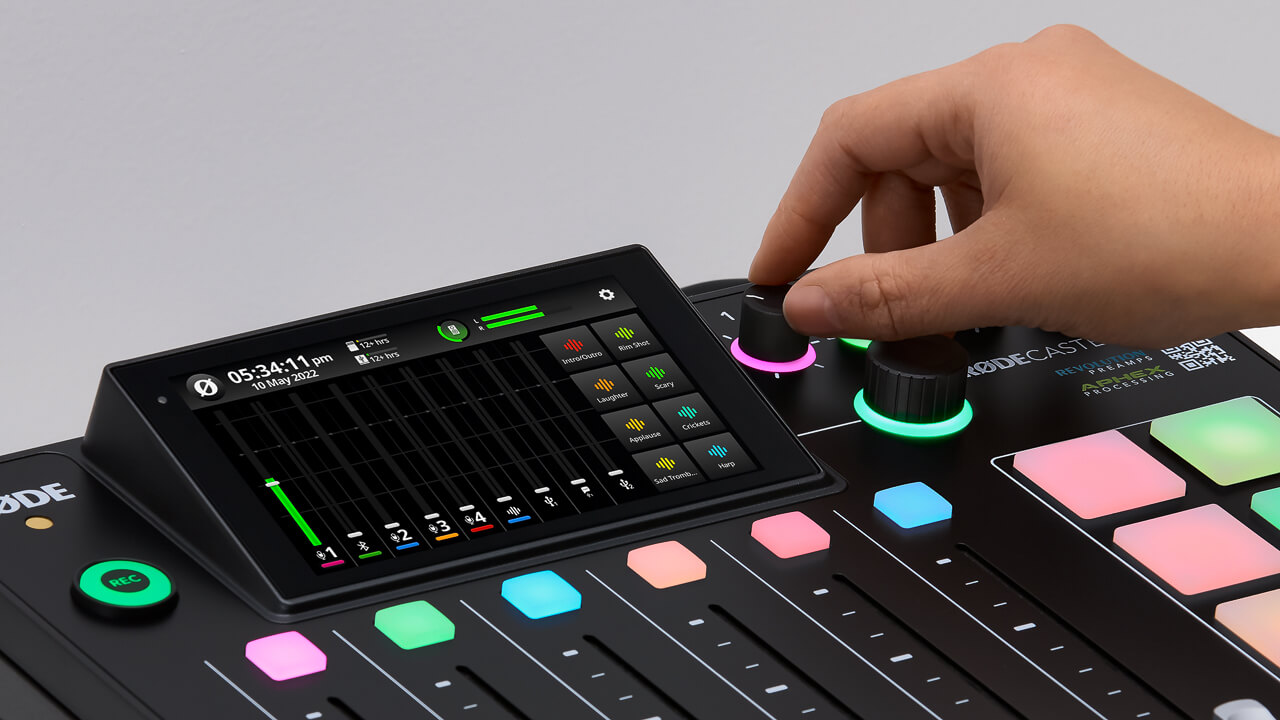
Each headphone output has an independent level control. These are located on the front of the unit and labelled 1-4. This allows you to easily control the volume of your headphones and balance the levels for others you are recording with.
You can also optimise the output level for the type of headphones you are using (i.e., whether they are high sensitivity or low sensitivity).
To do this, tap the settings cog, then ‘Outputs’ > ‘Headphones’, then select your headphone type. High sensitivity models have more output while low sensitivity models have less output. Selecting the correct setting for your headphone type will optimise the gain structure to make setting headphone levels as consistent as possible.
Connecting and Using Speakers/Monitors
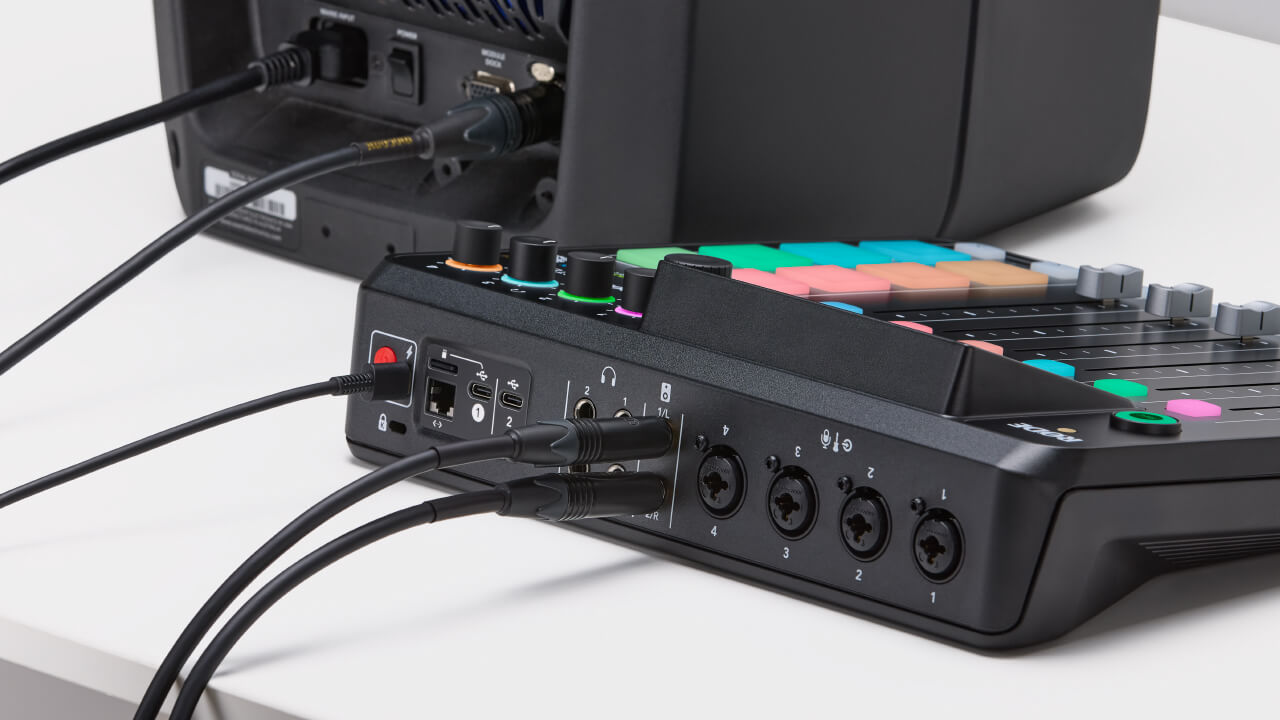
There are two balanced ¼-inch line outputs on the back of the RØDECaster Pro II for connecting a pair of speakers/monitors. These are clearly labelled left and right. The monitor output level is controlled using the rotary encoder on the front of the unit and there is an icon on the top of the mixer screen to check your level.
Each headphone output has an independent level control. These are located on the front of the unit and labelled 1-4. This allows you to easily control the volume of your headphones and balance the levels for others you are recording with.
You can also optimise the output level for the type of headphones you are using (i.e., whether they are high sensitivity or low sensitivity).
To do this, tap the settings cog, then ‘Outputs’ > ‘Headphones’, then select your headphone type. High sensitivity models have more output while low sensitivity models have less output. Selecting the correct setting for your headphone type will optimise the gain structure to make setting headphone levels as consistent as possible.
Connecting and Using Speakers/Monitors
There are two balanced ¼-inch line outputs on the back of the RØDECaster Pro II for connecting a pair of speakers/monitors. These are clearly labelled left and right. The monitor output level is controlled using the rotary encoder on the front of the unit and there is an icon on the top of the mixer screen to check your level.
Pino Roots & The Midnite Blues © 2026 | Music Lab Learning & Self-Study Archive!


Comentarios
Publicar un comentario