RODE Caster Pro II Changing the Level Meter Display
Changing the Level Meter Display
There are two ways to display the level meters on the virtual mixer: ‘Default’ mode and ‘Broadcast’ mode.
In ‘Default’ mode, there are markers at regular intervals, allowing you to easily visualise your levels, as well as a marker for unity gain. In ‘Broadcast’ mode, the level meters will include dBFS (decibels full scale) markers as well as a gain reduction meter (if you have the compressor activated on that channel).
To switch between the two modes, go to settings then ‘Display’ > ‘Metering’ and select either ‘Default’ or ‘Broadcast’.
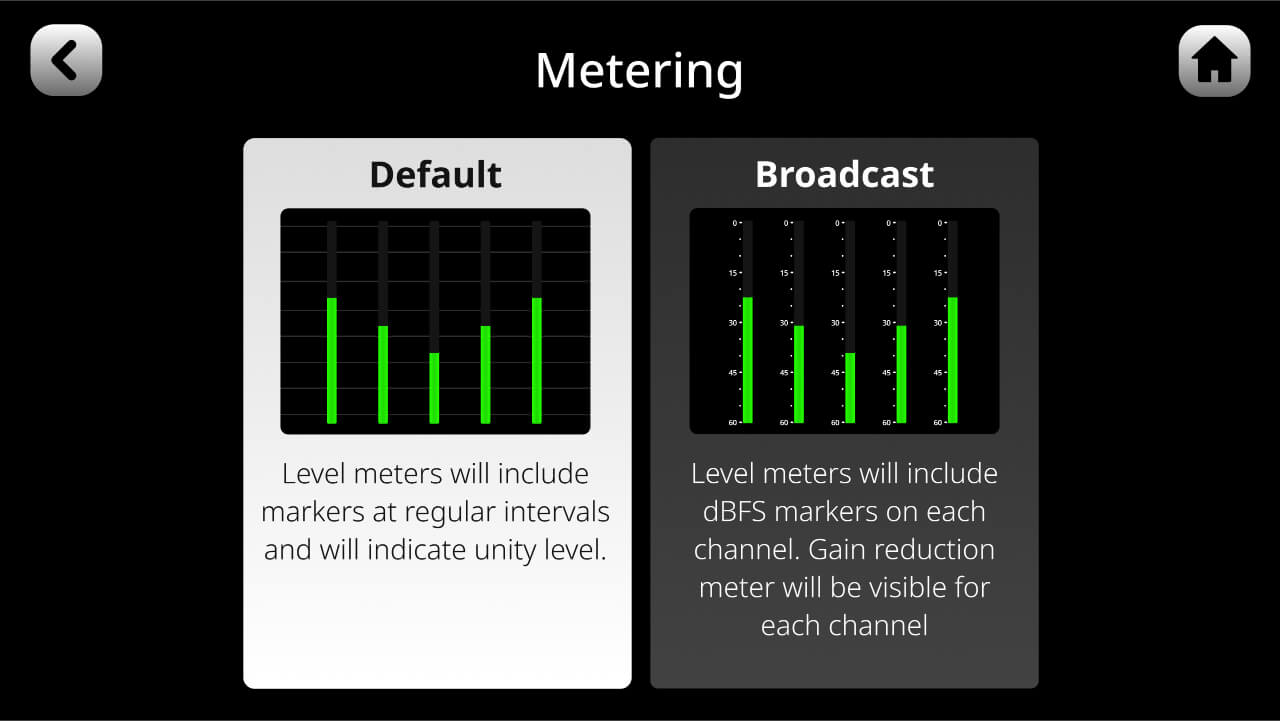
There are two ways to display the level meters on the virtual mixer: ‘Default’ mode and ‘Broadcast’ mode.
In ‘Default’ mode, there are markers at regular intervals, allowing you to easily visualise your levels, as well as a marker for unity gain. In ‘Broadcast’ mode, the level meters will include dBFS (decibels full scale) markers as well as a gain reduction meter (if you have the compressor activated on that channel).
To switch between the two modes, go to settings then ‘Display’ > ‘Metering’ and select either ‘Default’ or ‘Broadcast’.
Pino Roots & The Midnite Blues © 2026 | Music Lab Learning & Self-Study Archive!


Comentarios
Publicar un comentario