RODE Caster Pro II Connecting Your RØDECaster Pro II and Updating Firmware
Connecting Your RØDECaster Pro II and Updating Firmware
After downloading RØDE Central, open the application, then connect your RØDECaster Pro II using the supplied USB-C to USB-C cable (if your computer only has USB-A inputs, use a USB-C to USB-A cable like the RØDE SC18).
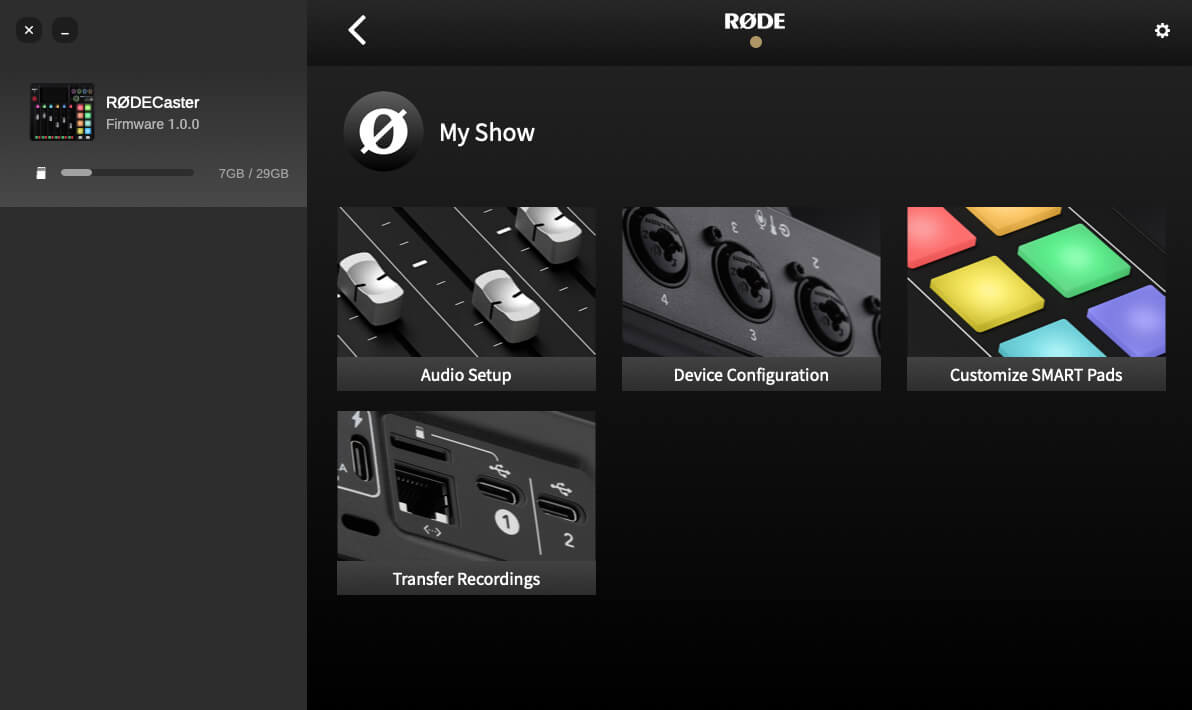
Once connected, your RØDECaster Pro II will appear as a device on the left. Click it to access the different configuration and setup options and device information, including available storage and current firmware version. If new firmware is available, you will be prompted to update.
After downloading RØDE Central, open the application, then connect your RØDECaster Pro II using the supplied USB-C to USB-C cable (if your computer only has USB-A inputs, use a USB-C to USB-A cable like the RØDE SC18).
Once connected, your RØDECaster Pro II will appear as a device on the left. Click it to access the different configuration and setup options and device information, including available storage and current firmware version. If new firmware is available, you will be prompted to update.
Pino Roots & The Midnite Blues © 2026 | Music Lab Learning & Self-Study Archive!


Comentarios
Publicar un comentario