RODE Caster Pro II Factory Reset
Factory Reset
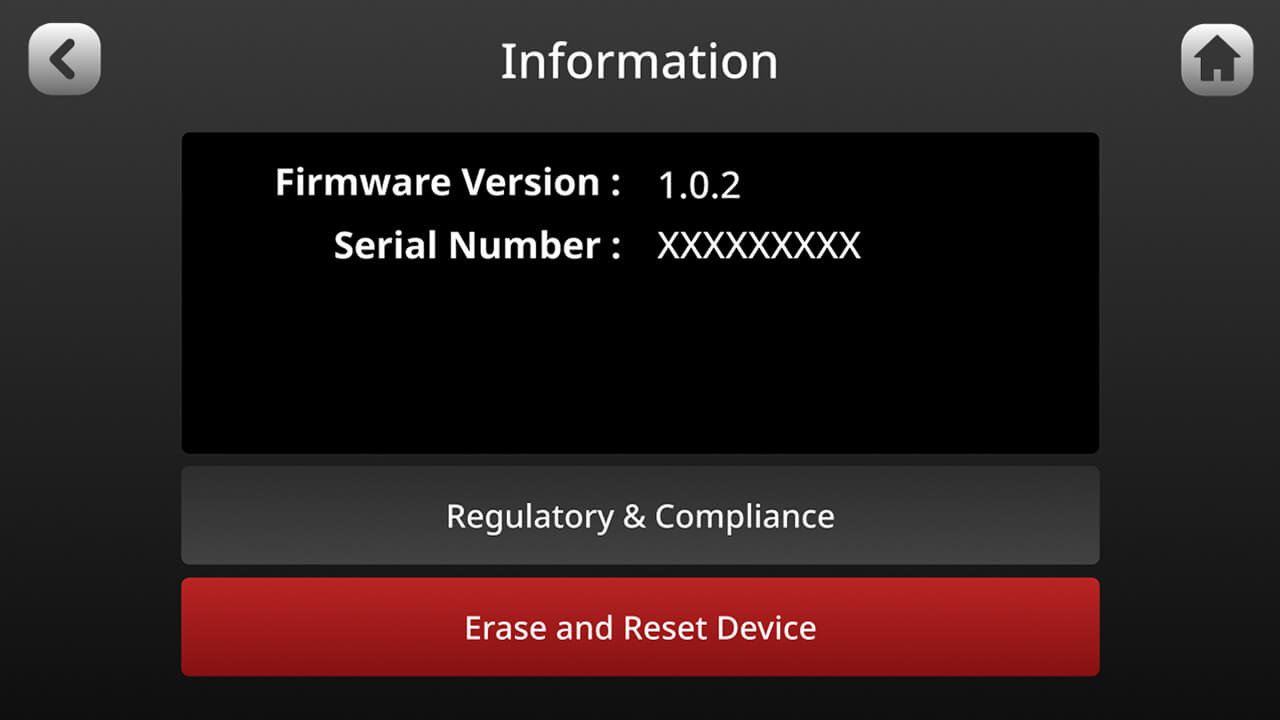
To perform a factory reset, tap the settings cog, then ‘System’ > ‘Information’ > ‘View Device Information’, then ‘Erase and Reset Device’.
Powering the RØDECaster Pro II
The RØDECaster Pro II comes with a power supply unit. Plug this into the USB-C input next to the red button on the back of the unit to provide power.
It can also be powered by a USB power bank, as long as it is capable of providing 30W USB-C PD (15V, 2A).
You will get approximately one hour of operation per 10W/h capacity, so a high-quality battery pack will give you around ten hours of power.
If insufficient power is provided to the unit, you will see a warning screen indicating so. In this case, either use the provided power supply or a power supply rated to the specifications above.
To perform a factory reset, tap the settings cog, then ‘System’ > ‘Information’ > ‘View Device Information’, then ‘Erase and Reset Device’.
Powering the RØDECaster Pro II
The RØDECaster Pro II comes with a power supply unit. Plug this into the USB-C input next to the red button on the back of the unit to provide power.
It can also be powered by a USB power bank, as long as it is capable of providing 30W USB-C PD (15V, 2A).
You will get approximately one hour of operation per 10W/h capacity, so a high-quality battery pack will give you around ten hours of power.
If insufficient power is provided to the unit, you will see a warning screen indicating so. In this case, either use the provided power supply or a power supply rated to the specifications above.
Pino Roots & The Midnite Blues © 2026 | Music Lab Learning & Self-Study Archive!


Comentarios
Publicar un comentario