RODE Caster Pro II Fade In/Out
Fade In/Out
The ‘Fade In/Out’ function allows you to fade your entire audio mix in or out at a predetermined rate. This means, for example, at the end of a show you could fade out all the audio sources together in one smooth action. You can set the speed of both the fade in and the fade out by tapping the values and setting the length of the fade using the rotary encoder.
Clicking ‘Exclude Host’ means microphone channel 1 will be excluded from the fade, meaning you can fade down the rest of the audio whilst the host continues to talk. The trigger mode can be set at the top of the screen. In ‘Latching’ mode, tapping the pad will activate the fade. Tapping the fader again will cause the sound to fade back in.
In ‘Momentary’ mode, tapping the pad will activate the fade out whilst the pad is being pressed; if it is released the audio will immediately fade back in again.
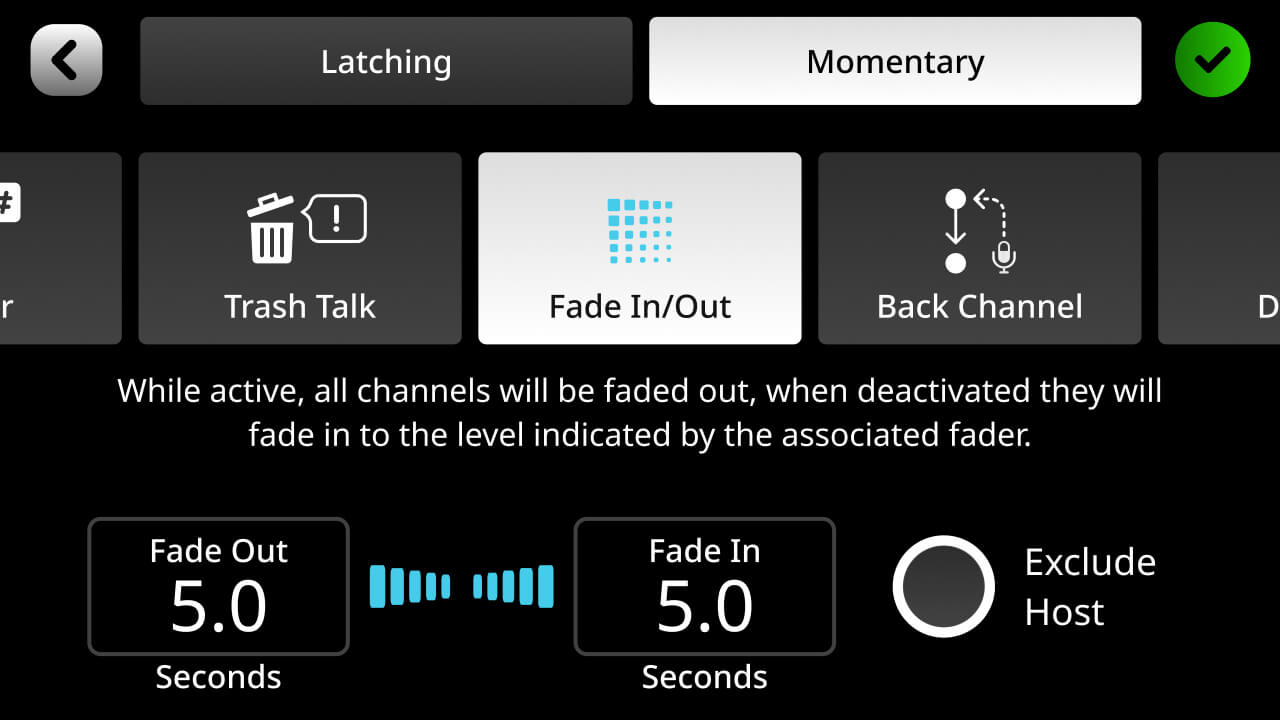
The ‘Fade In/Out’ function allows you to fade your entire audio mix in or out at a predetermined rate. This means, for example, at the end of a show you could fade out all the audio sources together in one smooth action. You can set the speed of both the fade in and the fade out by tapping the values and setting the length of the fade using the rotary encoder.
Clicking ‘Exclude Host’ means microphone channel 1 will be excluded from the fade, meaning you can fade down the rest of the audio whilst the host continues to talk. The trigger mode can be set at the top of the screen. In ‘Latching’ mode, tapping the pad will activate the fade. Tapping the fader again will cause the sound to fade back in.
In ‘Momentary’ mode, tapping the pad will activate the fade out whilst the pad is being pressed; if it is released the audio will immediately fade back in again.
Pino Roots & The Midnite Blues © 2026 | Music Lab Learning & Self-Study Archive!


Comentarios
Publicar un comentario