RODE Caster Pro II Loading and Saving Presets
Loading and Saving Presets
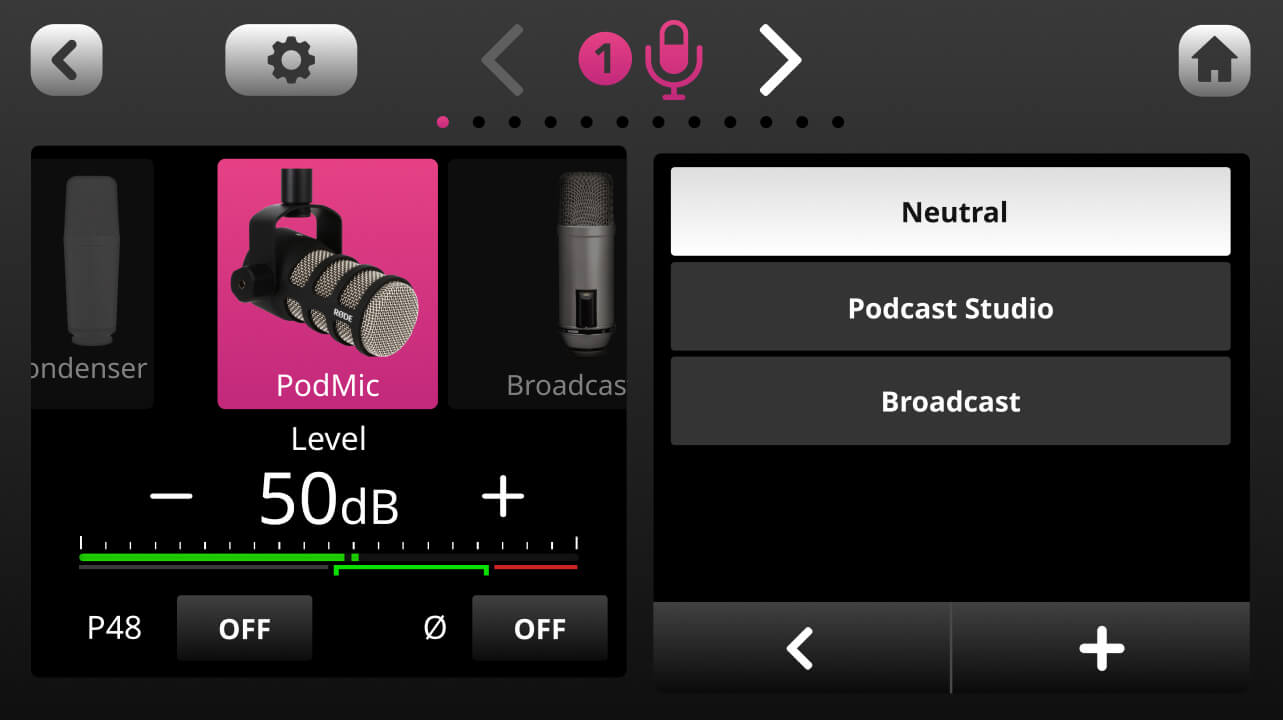
The RØDECaster Pro II offers a selection of professionally tailored default presets – ‘Neutral’, ‘Podcast Studio’ and ‘Broadcast’ – which you can either use as they are or as a foundation for further editing. To access these, tap ‘Presets’ in the processing window. You can also save your own presets here by tapping the ‘+’ button. To delete a preset, tap the bin icon.
The RØDECaster Pro II offers a selection of professionally tailored default presets – ‘Neutral’, ‘Podcast Studio’ and ‘Broadcast’ – which you can either use as they are or as a foundation for further editing. To access these, tap ‘Presets’ in the processing window. You can also save your own presets here by tapping the ‘+’ button. To delete a preset, tap the bin icon.
Pino Roots & The Midnite Blues © 2026 | Music Lab Learning & Self-Study Archive!


Comentarios
Publicar un comentario