RODE Caster Pro II Main Mix and Mix-Minus
Main Mix and Mix-Minus
Along with the ‘Custom’ setting, on some outputs you can also select ‘Main Mix’ (which simply uses the levels set by the physical and virtual faders on the main mixer) or ‘Mix-Minus’ for the output mix.
For the Bluetooth and USB outputs, the ‘Mix-Minus’ option uses the same settings as the main mix but excludes the selected channel’s input (USB 1’s input on USB 1's output channel, for instance) in order to avoid feedback or echo. See our guides on USB connections and connecting online callers for more information on mix-minus.
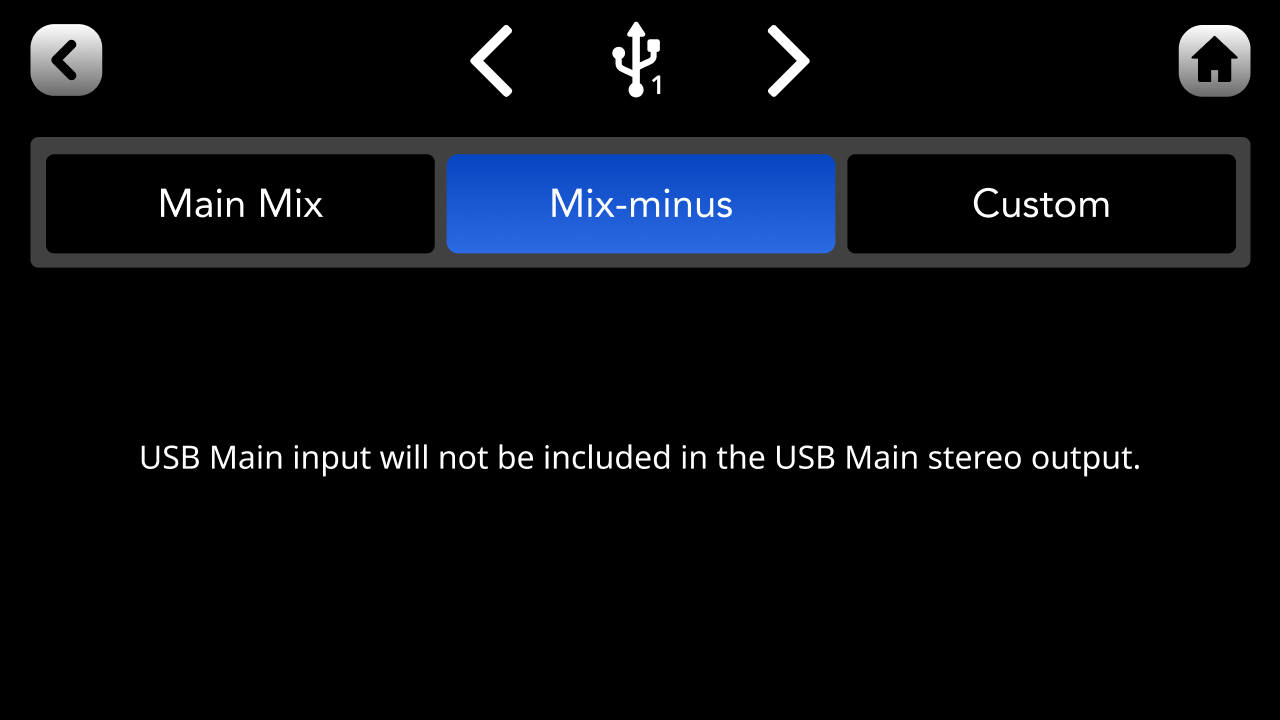
Along with the ‘Custom’ setting, on some outputs you can also select ‘Main Mix’ (which simply uses the levels set by the physical and virtual faders on the main mixer) or ‘Mix-Minus’ for the output mix.
For the Bluetooth and USB outputs, the ‘Mix-Minus’ option uses the same settings as the main mix but excludes the selected channel’s input (USB 1’s input on USB 1's output channel, for instance) in order to avoid feedback or echo. See our guides on USB connections and connecting online callers for more information on mix-minus.
Pino Roots & The Midnite Blues © 2026 | Music Lab Learning & Self-Study Archive!


Comentarios
Publicar un comentario