RODE Caster Pro II Multitrack mode
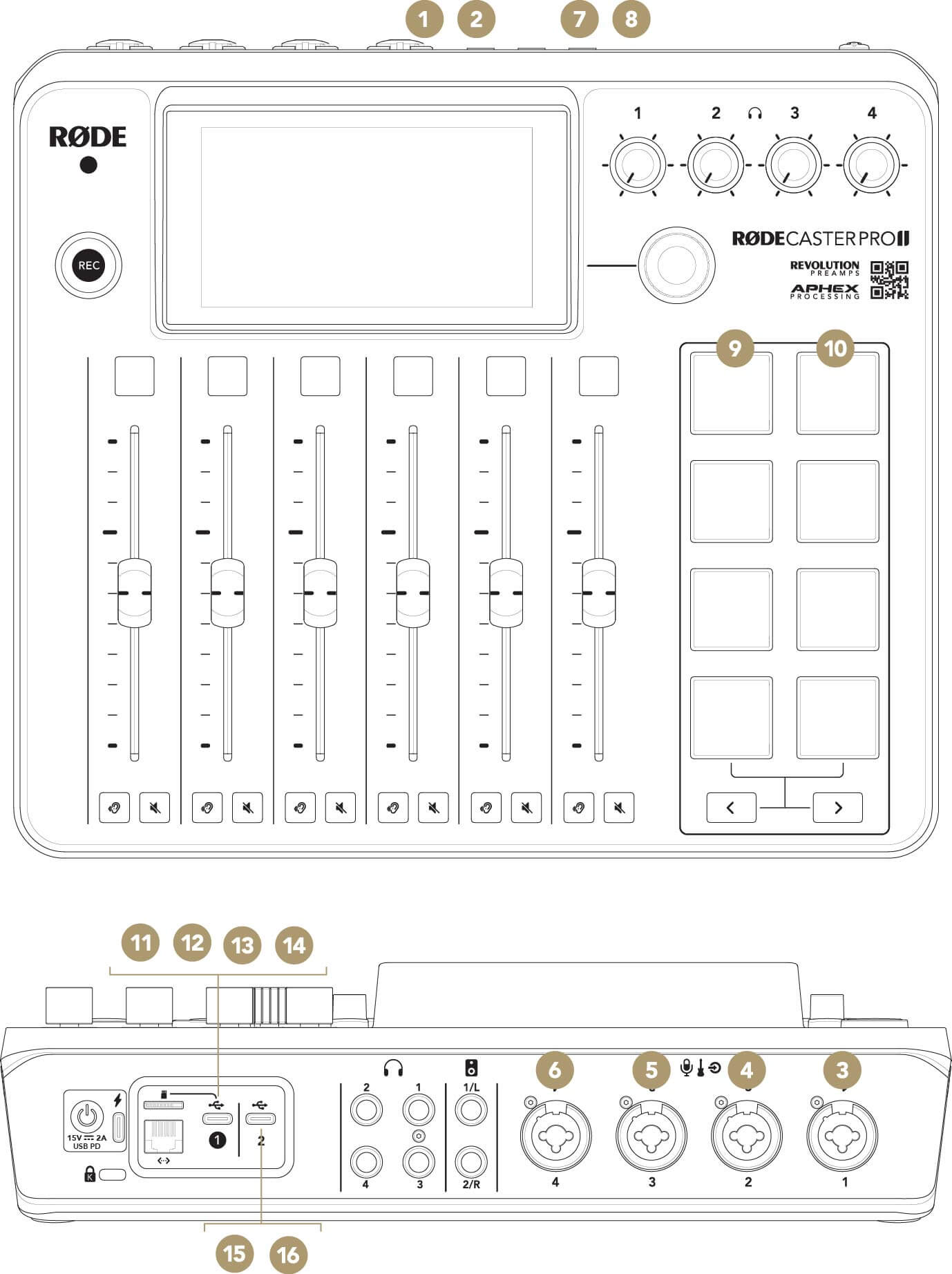
1
Mix L
2
Mix R
3
XLR/TRS 1
4
XLR/TRS 2
5
XLR/TRS 3
6
XLR/TRS 4
7
Bluetooth L
8
Bluetooth R
9
SMART Pads L
10
SMART Pads R
11
USB Main L
12
USB Main R
13
USB Chat L
14
USB Chat R
15
USB Secondary L
16
USB Secondary R
We also recommend switching off multitrack mode when using a browser-based streaming platform (such as restream.io) on a Windows PC, as the streaming platform may not accept ‘RØDECaster Pro Main Multitrack’ as an audio source. This is a limitation of browser-based software due to multitrack audio devices not being properly recognised.
USB Chat
When using USB 1 to connect the RØDECaster Pro II to a computer, another audio device called ‘RØDECaster Pro II Chat’ will be available alongside the ‘RØDECaster Pro II Main’ device described above.
This is a completely independent audio device that can be allocated to its own fader on the RØDECaster Pro II’s mixer and is optimised to be used with communications applications such as Skype and Discord. To set this up, simply select ‘RØDECaster Pro II Chat’ as both the input (microphone) and output (speaker) device in your communications app’s audio preferences and allocate ‘USB 1 Chat’ to a fader on the RØDECaster Pro II
.
Pino Roots & The Midnite Blues © 2026 | Music Lab Learning & Self-Study Archive!


Comentarios
Publicar un comentario