RODE Caster Pro II Pre- or Post-Fader Recording in Multitrack Mode
Pre- or Post-Fader Recording in Multitrack Mode
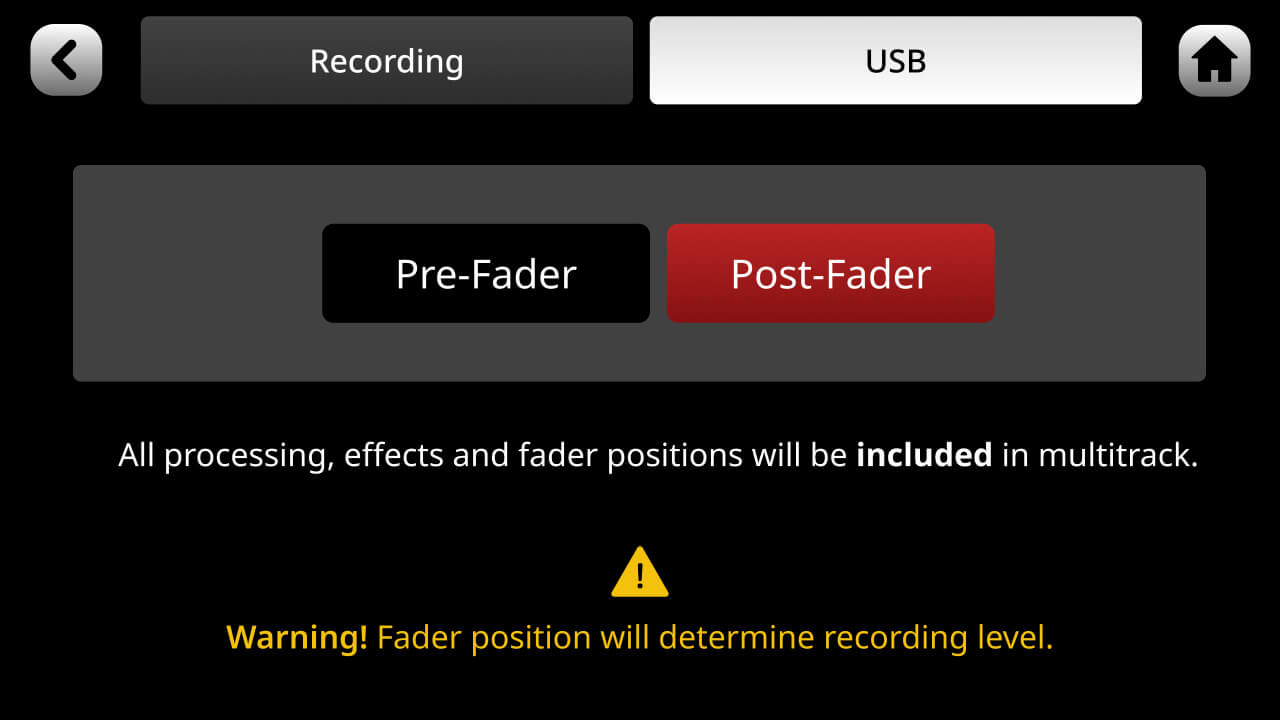
When recording individual tracks to your DAW (see ‘Multitrack Recording via USB’ above), you can select to record the audio either pre- or post-fader. Recording pre-fader means that the position of the fader will have no effect on the audio being recorded – i.e., even if the source is faded down, it will still be recorded at unity gain. Post-fader means that the audio will be recorded at the level set by the fader – i.e., if a source is faded right down, nothing will be recorded. You can select pre- or post-fader recording by tapping the settings cog then ‘Outputs’ > ‘Multitrack’.
The ‘mix’ output will not be affected by this setting and will always reflect the final mix output, including fader positions.
When recording individual tracks to your DAW (see ‘Multitrack Recording via USB’ above), you can select to record the audio either pre- or post-fader. Recording pre-fader means that the position of the fader will have no effect on the audio being recorded – i.e., even if the source is faded down, it will still be recorded at unity gain. Post-fader means that the audio will be recorded at the level set by the fader – i.e., if a source is faded right down, nothing will be recorded. You can select pre- or post-fader recording by tapping the settings cog then ‘Outputs’ > ‘Multitrack’.
The ‘mix’ output will not be affected by this setting and will always reflect the final mix output, including fader positions.
Pino Roots & The Midnite Blues © 2026 | Music Lab Learning & Self-Study Archive!


Comentarios
Publicar un comentario