RODE Caster Pro II Recording Audio Directly to a Sound Pad
Recording Audio Directly to a Sound Pad
In addition to using RØDE Central to load audio files to a pad (see above), you can also record audio directly to a sound pad from the RØDECaster Pro II. To activate recording, click on the red record icon on the pad edit screen (if there is already a sound on the pad, a dialogue will warn you that recording will overwrite the existing sound).
Recording will begin, and any audio source connected to the RØDECaster Pro II (including all channels except the sound pads) will be recorded to the pad. You can pause or stop the recording using the controls. Once the recording has been stopped, you can replay it and trim it as described above.
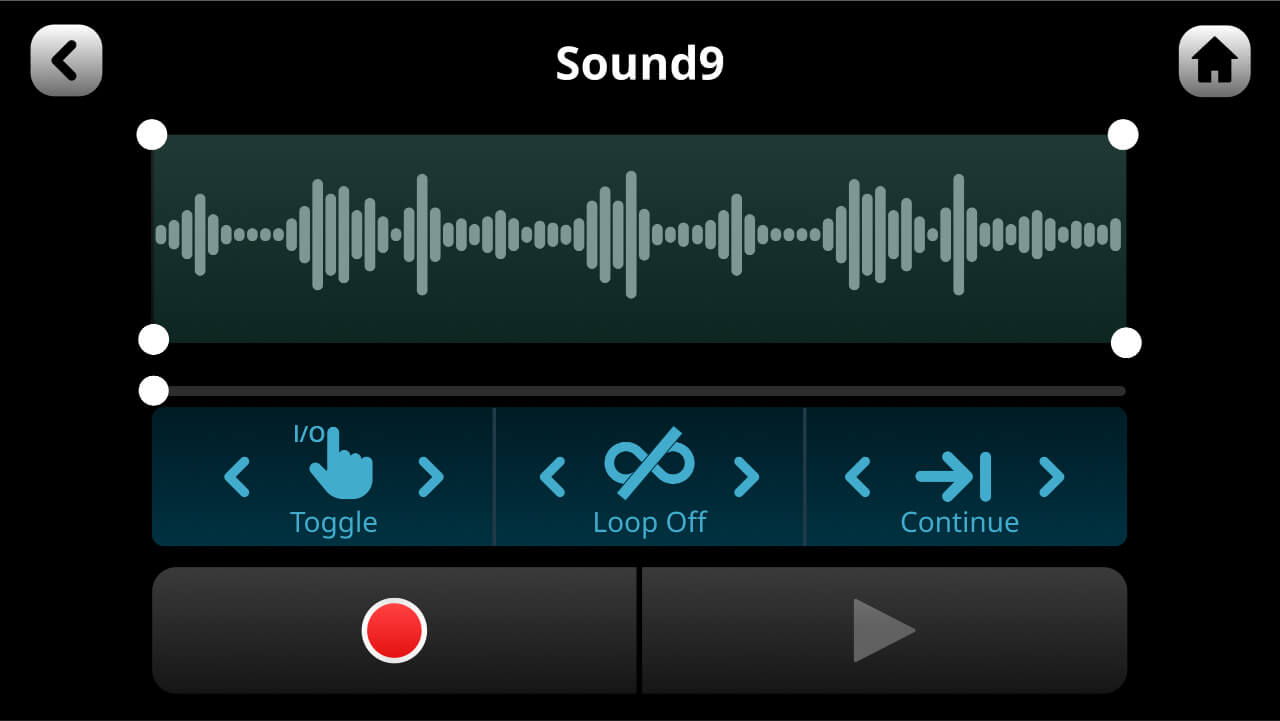
In addition to using RØDE Central to load audio files to a pad (see above), you can also record audio directly to a sound pad from the RØDECaster Pro II. To activate recording, click on the red record icon on the pad edit screen (if there is already a sound on the pad, a dialogue will warn you that recording will overwrite the existing sound).
Recording will begin, and any audio source connected to the RØDECaster Pro II (including all channels except the sound pads) will be recorded to the pad. You can pause or stop the recording using the controls. Once the recording has been stopped, you can replay it and trim it as described above.
Pino Roots & The Midnite Blues © 2026 | Music Lab Learning & Self-Study Archive!


Comentarios
Publicar un comentario