RODE Caster Pro II Starting and Stopping the Recording
Starting and Stopping the Recording
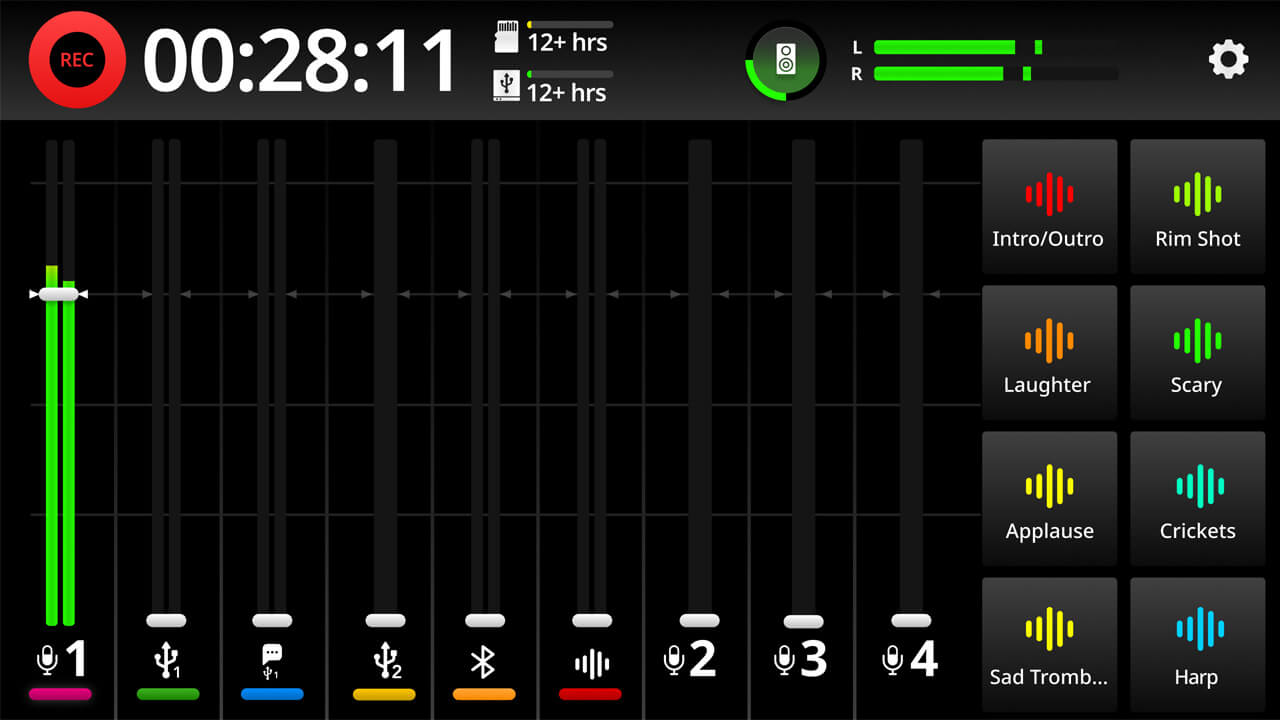
To start a recording, press the ‘REC’ button to the left of the screen. The ‘REC’ button will turn red, and a timer will indicate how long your elapsed recording time is.
To stop recording, press and hold the ‘REC’ button.
Note
The above method is called ‘Press to Pause Recording Mode’, which is activated by default. In this mode, a short press will pause the recording. You can switch to ‘Press to Stop Recording Mode’ by going to settings, then ‘Display’ > ‘REC Button’.
In this mode, a short press will stop the recording and a press and hold will pause the recording (see below for more info).
To start a recording, press the ‘REC’ button to the left of the screen. The ‘REC’ button will turn red, and a timer will indicate how long your elapsed recording time is.
To stop recording, press and hold the ‘REC’ button.
Pino Roots & The Midnite Blues © 2026 | Music Lab Learning & Self-Study Archive!
Note
The above method is called ‘Press to Pause Recording Mode’, which is activated by default. In this mode, a short press will pause the recording. You can switch to ‘Press to Stop Recording Mode’ by going to settings, then ‘Display’ > ‘REC Button’.
In this mode, a short press will stop the recording and a press and hold will pause the recording (see below for more info).


Comentarios
Publicar un comentario