RODE Caster Pro II Trimming the Audio on a Sound Pad
Trimming the Audio on a Sound Pad
You can trim the start and end points of the audio on a pad as well as adding in a fade in or fade out. This is great for eliminating any silence at the beginning of your file, or for ensuring a smooth fade out at the end. To do this, drag the bottom corners of the waveform to trim the audio and the top corners to create a fade in or out.
To preview your edit, press the play icon. Press the green tick in the top right corner of the screen to save the edit and exit edit mode.
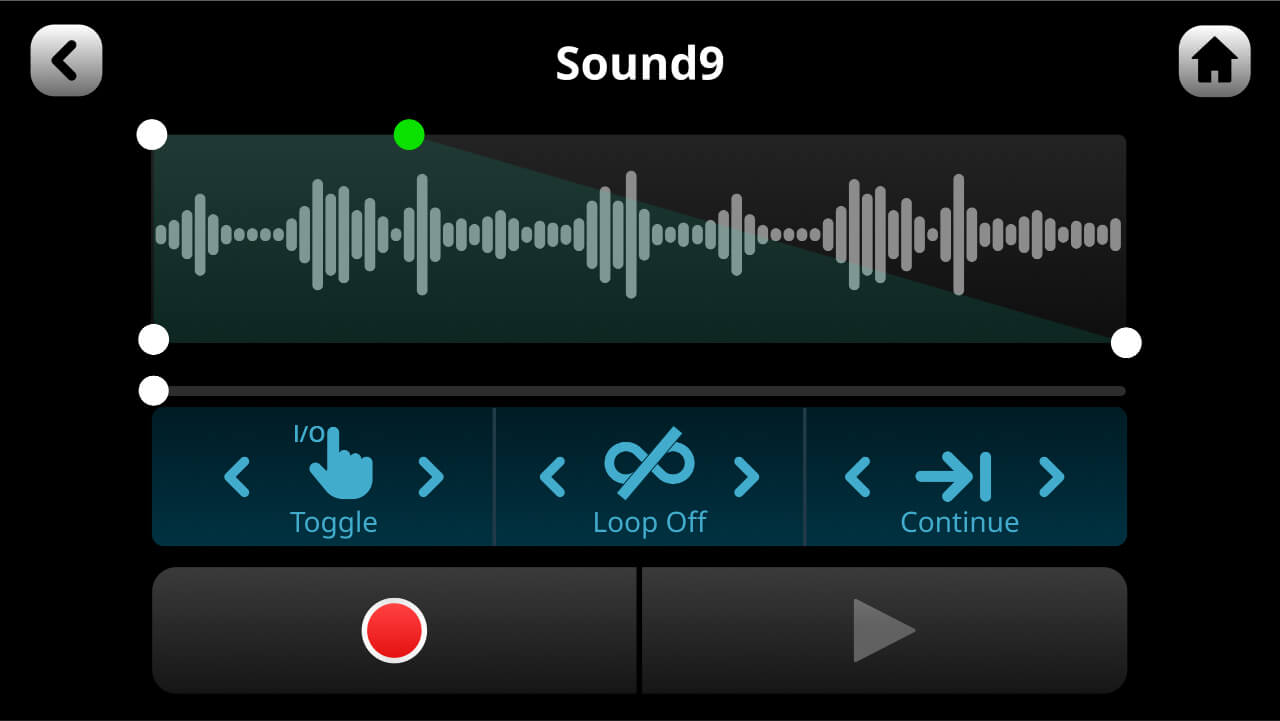
You can trim the start and end points of the audio on a pad as well as adding in a fade in or fade out. This is great for eliminating any silence at the beginning of your file, or for ensuring a smooth fade out at the end. To do this, drag the bottom corners of the waveform to trim the audio and the top corners to create a fade in or out.
To preview your edit, press the play icon. Press the green tick in the top right corner of the screen to save the edit and exit edit mode.
Pino Roots & The Midnite Blues © 2026 | Music Lab Learning & Self-Study Archive!


Comentarios
Publicar un comentario