RODE Caster Pro II Updating Firmware
Updating Firmware
The RØDECaster Pro II is regularly enhanced with new features, functionality improvements, bug fixes and more via firmware updates. These can be downloaded directly from your unit or via RØDE Central.
Downloading Firmware Directly to Your Unit
To download firmware directly to your unit, you must be connected to the internet via Wi-Fi or ethernet (settings > ‘System’ > ‘Network’ > then select either a Wi-Fi or ethernet/wired connection and follow the prompts to connect).
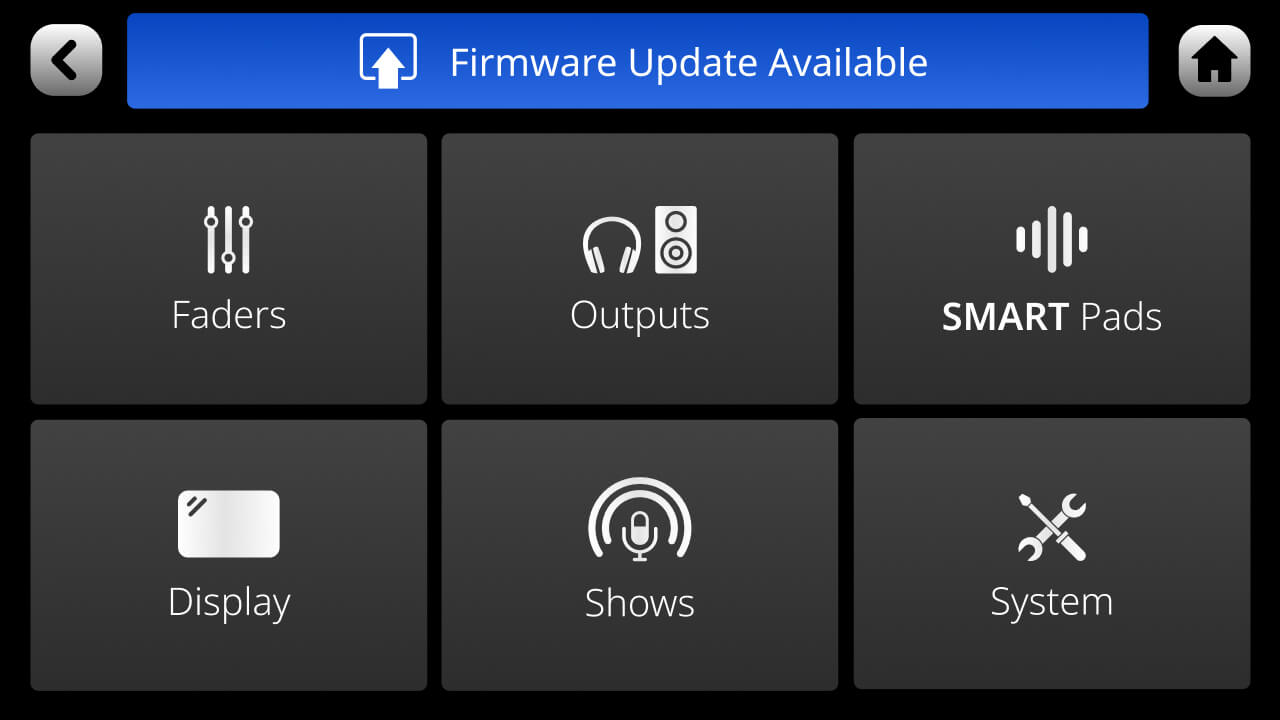
When you are connected to a network and new firmware is available, a message will appear on the settings menu prompting you to update. Alternatively, you can go to settings > ‘System’ > ‘Information’ and tap ‘Check for Update’ to check if new firmware is available.
The RØDECaster Pro II is regularly enhanced with new features, functionality improvements, bug fixes and more via firmware updates. These can be downloaded directly from your unit or via RØDE Central.
Downloading Firmware Directly to Your Unit
To download firmware directly to your unit, you must be connected to the internet via Wi-Fi or ethernet (settings > ‘System’ > ‘Network’ > then select either a Wi-Fi or ethernet/wired connection and follow the prompts to connect).
When you are connected to a network and new firmware is available, a message will appear on the settings menu prompting you to update. Alternatively, you can go to settings > ‘System’ > ‘Information’ and tap ‘Check for Update’ to check if new firmware is available.
Pino Roots & The Midnite Blues © 2026 | Music Lab Learning & Self-Study Archive!


Comentarios
Publicar un comentario