RODE Caster Pro II USB Main
USB Main
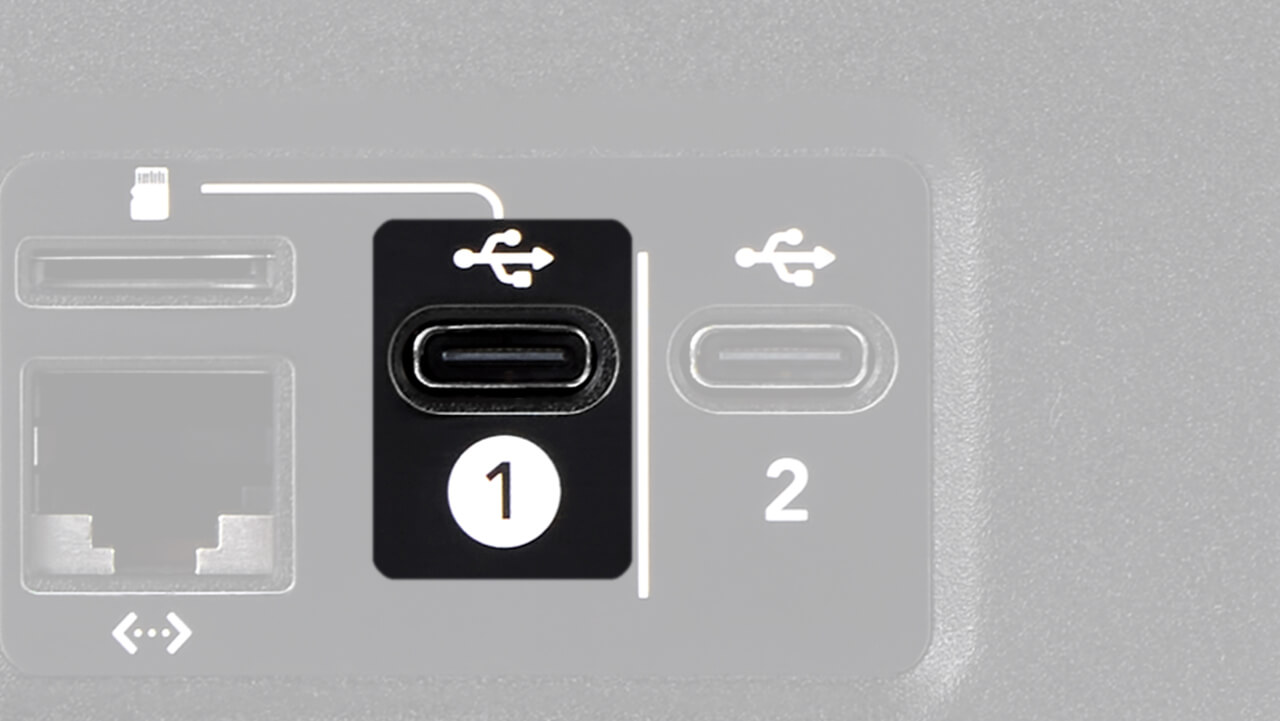
The main output of the RØDECaster Pro II is the device called ‘RØDECaster Pro II Main’. To access this device on your computer, connect your computer to the USB 1 port on the back of the RØDECaster Pro II.
You should then see an audio device labelled ‘RØDECaster Pro II Main’ appear in the list of audio devices available.
Note
You will also see ‘RØDECaster Pro II Chat’ appear, as this is also available via the USB 1 port (see below for more info on how to use USB Chat).
Pro Tip
If you use a Mac computer, sometimes the list of devices you can see when you click on the speaker icon in the Menu Bar does not update straight away when new devices are plugged in. If you have connected your RØDECaster Pro II but can’t select it from the Menu Bar, go to your Audio Preferences, where all available devices will be listed.
The main output of the RØDECaster Pro II is the device called ‘RØDECaster Pro II Main’. To access this device on your computer, connect your computer to the USB 1 port on the back of the RØDECaster Pro II.
You should then see an audio device labelled ‘RØDECaster Pro II Main’ appear in the list of audio devices available.
Note
You will also see ‘RØDECaster Pro II Chat’ appear, as this is also available via the USB 1 port (see below for more info on how to use USB Chat).
Pro Tip
If you use a Mac computer, sometimes the list of devices you can see when you click on the speaker icon in the Menu Bar does not update straight away when new devices are plugged in. If you have connected your RØDECaster Pro II but can’t select it from the Menu Bar, go to your Audio Preferences, where all available devices will be listed.
Pino Roots & The Midnite Blues © 2026 | Music Lab Learning & Self-Study Archive!


Comentarios
Publicar un comentario